Your AI assistant stops starting from scratch. So does your whole team.
Tavimi is your team's shared memory: what was decided, what's left to do, who's on it. Everyone reads it and adds to it, and your AI assistants read it again in every conversation.
The Tavimi web app is in French for now; an English interface is on its way. Your assistants work in any language.
Works with Claude, ChatGPT, Mistral's Le Chat and any MCP client
The problem
Why your AI forgets everything between conversations
Today
- You explain your company, your partners and last week's decisions all over again.
- What the AI produced stays buried in a chat history nobody else reads.
- Nothing says who does what, or what's left to do.
With Tavimi
- The assistant reads your decisions and reviews before it answers you.
- What it produces is filed in the project's space, where the whole team can read it.
- Every task has a status, and can have an owner and a due date.
What Tavimi changes
One shared memory, for the team and for the assistant
One space per project
A client, a campaign, prospecting: each project gets its own space, with its notes and tasks. You decide who has access.
Memory that doesn't fade
Decisions, reviews, useful contacts: your assistant files them as notes and reads them before it acts. Every edit keeps the previous version.
Tasks you can track
What's left to do, with an owner and a due date. The board shows where each project stands, whether the work comes from the team or the assistant.
An assistant that asks instead of guessing
When it's missing a decision, it asks the question on the task and moves on. You answer when you have time, from your browser or your phone.
For example
Launching a client's campaign
You create the space
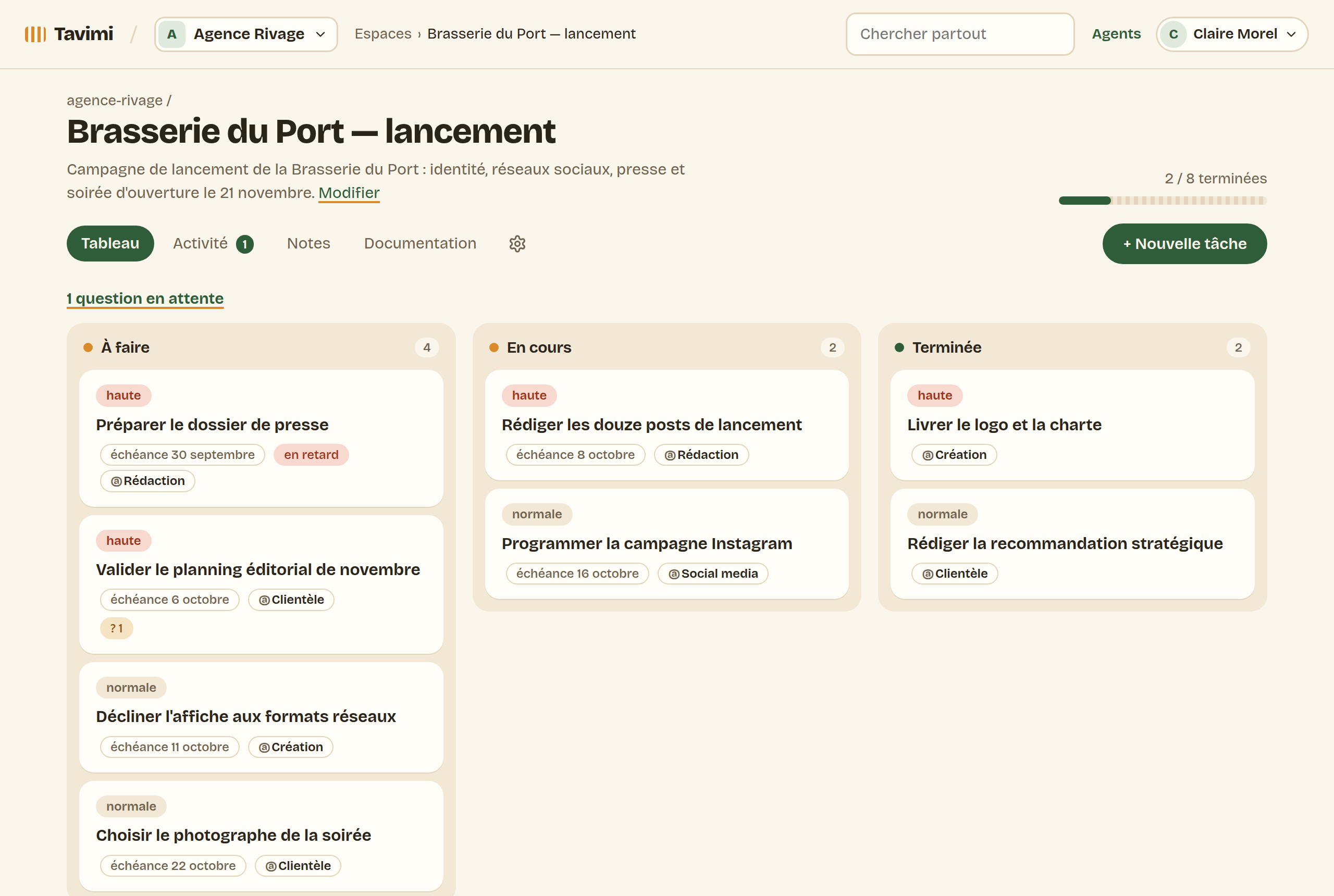
“Brasserie du Port — launch”, and you invite the team: account management, design, copywriting, social media.
The brief becomes tasks
The assistant files the brief and the brand voice as notes, creates the tasks and assigns each one to a role.
The assistant writes, the team moves forward
The assistant drafts the posts in the approved voice; when a choice is up to the client, it asks the question on the task. Everyone sees the same board.
The review feeds the next one
What worked stays in the client's space. For the next campaign, the assistant picks up from there.
By industry
Tavimi in your line of work
- Marketing agenciesEach client's brief and brand voice, read by your AI first.
- FreelancersSeveral clients, without re-briefing the AI on every project.
- Consulting firmsThe memory of every engagement, from kickoff to steering committee.
- SEO / GEO agenciesEach client's strategy, read by every agent.
- Engineering firmsThe assumptions and decisions of every project.
- E-commerce developmentPersistent memory for Claude Code, shared by the team.
Trust
You stay in control
Two-factor authentication required for everyone.
You choose the spaces your assistant can see, and you cut off its access in one click.
A guest only sees the space you invited them to.
FAQ
What people ask us
Why do Claude and ChatGPT forget everything between conversations?
An assistant only keeps what fits in the current conversation, and its built-in memory, when it has one, belongs to each user alone. Tavimi gives it a shared working memory: the decisions, briefs and tasks of each project, which it reads before it acts.
Which AI assistants does Tavimi work with?
Claude (claude.ai, Claude Desktop and Claude Code), OpenAI's ChatGPT and Codex, Mistral's Le Chat, and any MCP-compatible client: Tavimi is an MCP server, with a connection secured by OAuth. The Agents tab of your organization gives step-by-step instructions for each one.
How is it different from a Claude Project or a CLAUDE.md file?
Those keep context for one assistant. Tavimi is shared by the whole team: your assistants read and write notes and tasks in it, everyone follows progress in the web app, and the same context works in claude.ai and in Claude Code.
Does Tavimi replace my project management tool?
No. It doesn't track time or handle invoicing. It holds the working memory your AI assistants read, alongside the tools you already use.
Ready to give your assistant a memory?
Two ways to get started. Your choice.